GamePix · Browser mini golf
Relic Putt
Mini golf where the relic matters as much as the swing.
Relic Putt is a browser mini golf game you can start in one click, with no download and no account. You pull a shot back, release it, and then fire a relic while the ball is still in the air — two decisions on every hole instead of one.
Drag & release to shoot · Space to use your relic · P to pause
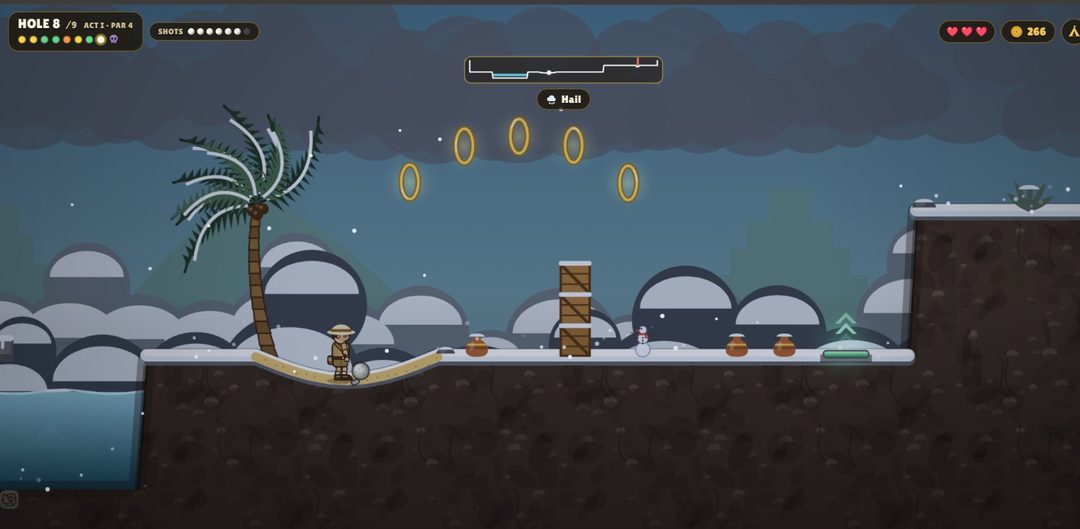
Screenshots from act 1, captured in the game.
What you actually do in Relic Putt
Each hole asks for two things. First you aim: pull back from the ball, watch the power build, and let go. Then, while the ball is still travelling, you decide whether to spend the relic sitting in your slot. Swinging early and thinking late is the usual mistake, and it is the reason first rounds feel like luck.
Holes run in acts of nine, and the par changes as you go: the early holes are par-3, and the course moves up to par-4 later in an act. On a par-3 hole you get six shots, which is enough for one mistake plus one recovery. Treat that budget as a resource you spend rather than a countdown that scares you, and a hole you nearly ruined stays recoverable — a careful two-putt still costs you less than a heroic line that finds the water.
The full walkthrough of how to play breaks the loop down step by step, and if you only want the input list, the control reference puts every key and gesture in one table. Read one of them before your second round, not after your fifth — the habits you build in the first round are the ones that stick.
The swing comes first, the relic comes second
Before you touch the relic system, get your distance sense back. Pull the same short amount three times and watch where the ball settles. When your shots land where you predicted, you finally have a baseline to change — and a baseline is what makes a relic's effect readable instead of confusing.
This is why first rounds feel random. A wild swing plus an unfamiliar relic gives you two unknowns at once, so you learn nothing from the miss. Settle the swing first, then start testing relics, and you will see exactly which one moved the ball, in which direction, and by how much.
Read the par, take one of three, one hole at a time
The relic screen opens after you finish a hole, not before it. Three options appear and you take one. That order matters: you are always picking for the next hole with the previous hole fresh in mind, so your last miss is better evidence than your imagination about what is coming.
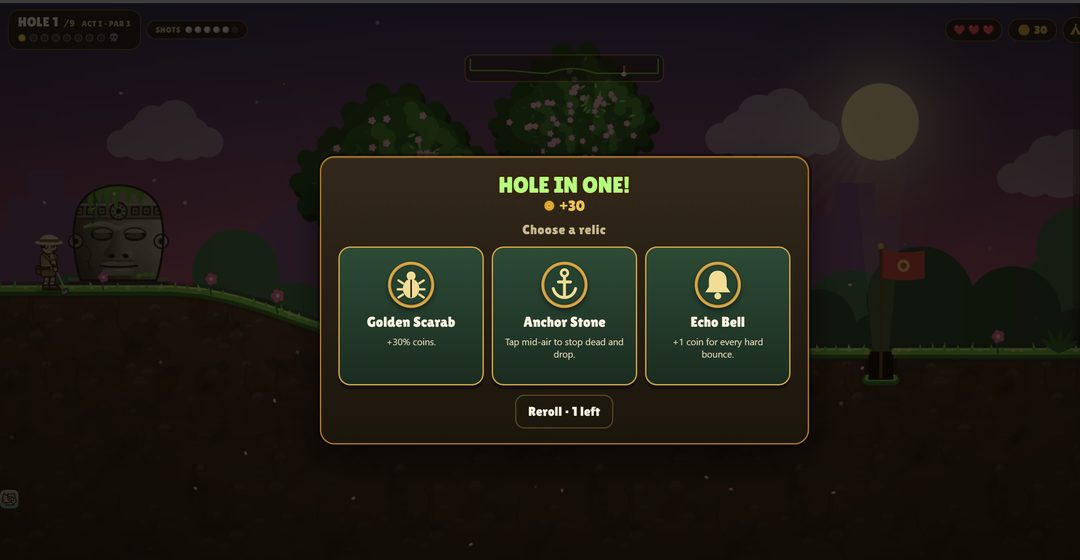
With a shot budget in hand — six of them on a par-3 — a tidy shot that stops short of trouble usually beats a gamble that either saves a stroke or hands you a penalty. Pick the line you can repeat, putt out, and keep the leftover shots for the hole where the relic finally lines up with the terrain instead of fighting it.
Holes run one at a time and there is no timer pressure in the core loop, so there is no reason to rush the aim. The practical tips page is built around that idea — plan the finish, then swing — and it is the habit that makes a shot budget last.
Play on desktop, tablet, or phone
It runs in the browser on all three, and touch input is a first-class citizen rather than a fallback: you drag with a finger exactly as you would with a mouse, and a tap releases the relic while the ball is in the air. Nothing in the game needs a keyboard, though the shortcuts are genuinely faster once you have them.
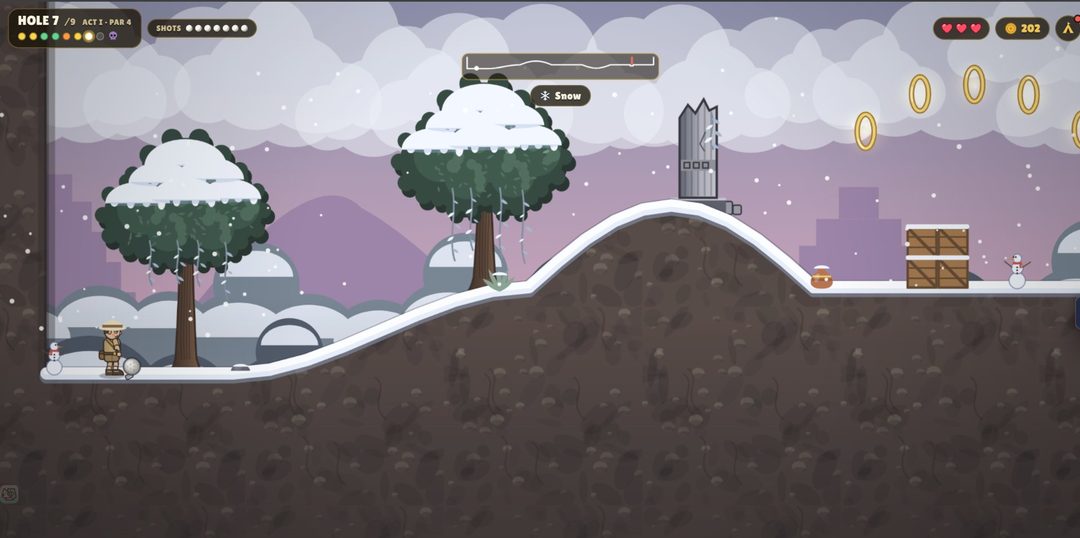
On a phone, turn the device sideways before you start, because the fairway is wide and horizontal by design. Landscape gives you more of the hole in view and makes the pull-back gesture easier to judge. On a tablet, either orientation works — you simply get more runway in landscape, which helps on holes with hazards near the edge of the screen.
Modes worth knowing about
Beyond the main sequence there are two side routes. The Daily Challenge gives you a fresh objective each day inside the game, so it is worth a look when you only have a few minutes rather than a full session. Party mode is local: up to four people share one device and take turns, which makes it the right pick for a group in the same room rather than a group on a call.
Alongside the modes, there are golfers to unlock as you keep playing. Whether you chase those unlocks or ignore them, the core loop is the same — swing, time the relic, then choose. The relic choice itself gets a separate breakdown here if you want to read the three options more carefully before committing.
Frequently asked questions
What is Relic Putt?
A free browser mini golf game on GamePix. You take shots on a jungle-themed course, and after each hole you choose one of three relics that changes how the ball behaves.
Is it free?
Yes. It loads in the browser with no download, no install, and no purchase step. The GamePix player is the only thing that loads here.
Does it work on phones?
Yes — desktop, tablet and phone are all supported, and touch controls mirror the mouse. Turn the phone to landscape for a wider view of the fairway.
How do I use a relic?
Press Space or tap the screen while the ball is still in flight. Once the ball has stopped, the window is closed, so the timing is part of the shot.
Is this the official site?
No. This is an independent guide built by players. The game itself is published on GamePix, and the official page is the place to play or to check anything we cannot verify.
Reading about it only gets you so far — one round tells you more about the swing than three pages of notes.
How to play
A step-by-step breakdown of the swing, the mid-air relic window, and how par changes the shots you get.
Read the walkthrough →Controls
Every input in one table — mouse, keyboard and touch — plus fixes when a key does nothing.
See the controls →Tips
Practical habits for planning a landing spot, reading the weather, and giving relics a job.
Read the tips →Relics
Every relic seen so far, its card text quoted word for word, and the hole each one helps on.
See the relic list →Daily Challenge
Where the daily run sits in the game and a ten-minute routine for spending the attempt well.
Read the daily routine →Party Mode
Four players, one device, turn by turn — plus what to sort out before the first hole.
Read the party setup →Not Loading?
Six checks in order, from a hard refresh to opening the game directly on GamePix.
Run the six checks →Unblocked
Why a workaround copy is unnecessary, and what to do when a network filters games.
Read the explanation →Note: this page covers the browser game on GamePix, and has nothing to do with the physical disc golf putter called RIP Relic.